
Find Out What a URL Is Doing Before It Becomes a Website Problem
A link may look correct on the page but return a 404 error when opened, pass through a redirect, or reach a server that does not respond as expected. Looking at the URL alone is not enough; what matters is the actual response returned by the server.
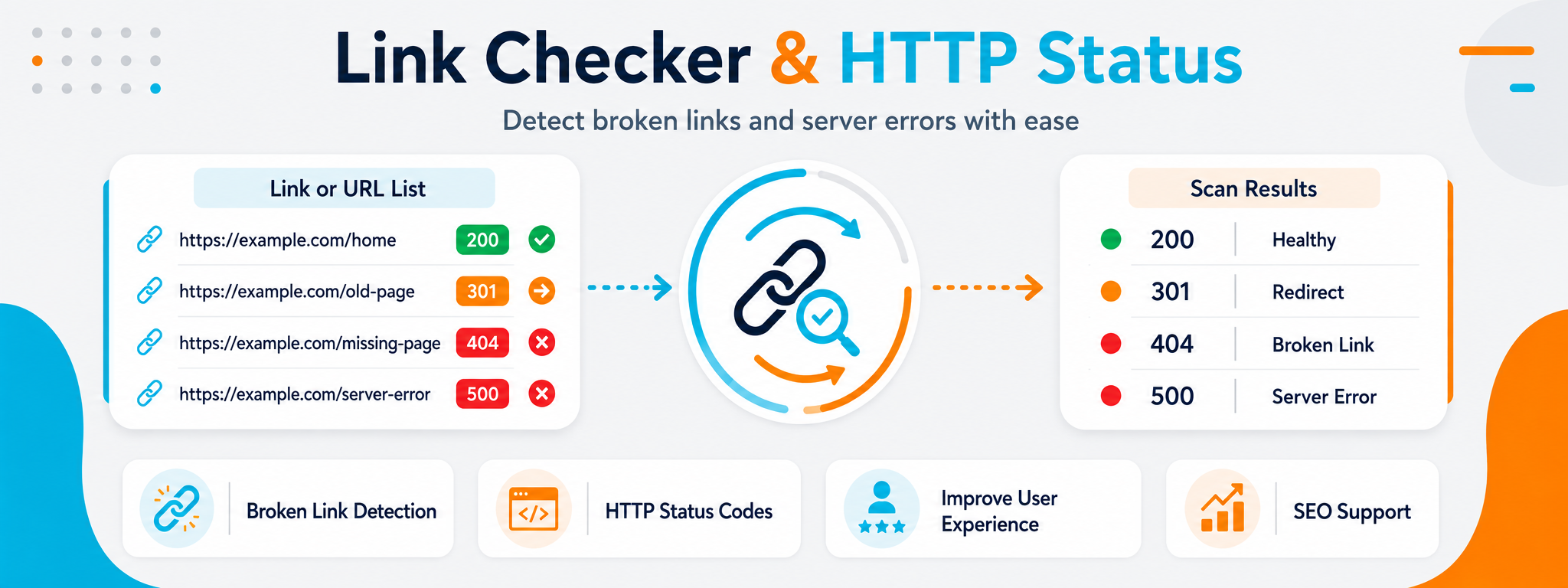
The Link Checker and HTTP Status tool helps you test a URL and read its response code, making it easier to distinguish between a page that works normally, a redirected URL, a missing page, and a server-side error.
This review is useful when maintaining internal and external links, after moving pages or changing permalinks, and before publishing content with many links. The earlier you detect a problem, the easier it is to fix.
When Is Checking a URL Important?
You do not need to wait for a user complaint before testing links. There are several common situations where checking URLs is useful, especially after technical changes or content updates.
After Changing a Page URL
Check both the old and new URL to confirm that the redirect works as expected and that users do not end up on an error page.
Before Publishing a Long Article
If the content contains many internal or external links, it is useful to test them before publishing instead of discovering broken links later.
After Migrating a Website
Domain or structural changes can leave old links behind. Checking URLs helps identify paths that were not migrated correctly.
When You See a 404
Verify whether the problem is truly a missing page rather than an incorrect redirect or a URL that was typed incorrectly.
Reviewing External Links
External websites may move or delete pages, so link checks can help identify URLs that no longer reach the intended source.
Diagnosing a Server Problem
5xx status codes indicate a server-side problem and should be treated differently from a 404 response, which usually means the requested resource was not found.
What Do the Most Important HTTP Status Codes Mean?
You do not need to memorize dozens of status codes to get started. Understanding a few common codes explains a large share of everyday link problems.
200 — Successful Response
The server received the request and returned the resource successfully. When checking a normal page, this is usually the type of response you expect to see.
301 — Permanent Redirect
The resource has permanently moved to another URL. This is useful after changing URLs, but unnecessary redirect chains should still be avoided.
404 — Page Not Found
The server could not find the requested resource. If the URL is internal, review whether it should be fixed or redirected to an appropriate replacement.
A Quick Guide to HTTP Status Code Classes
The first digit of a status code tells you the general type of response, which makes it easier to narrow down the problem before investigating further.
| Class | General Meaning | Examples | What Should You Review? |
|---|---|---|---|
| 2xx | The request was successful. | 200 | Confirm that the returned page is the page you actually intended to reach. |
| 3xx | The request is being redirected to another URL. | 301, 302 | Review the final destination and the number of redirects. |
| 4xx | There is a problem with the request or requested resource. | 403, 404 | Check the URL, access permissions, and whether the page exists. |
| 5xx | The server encountered an error while processing the request. | 500, 502, 503 | Review the server, application, or backend service status. |
How to Check a URL and Its HTTP Status
Running the check is simple, but interpreting the result is the important part. Do not stop at the status code itself; compare it with what you expected the URL to do.
Enter the URL
Paste the complete URL and verify the protocol, domain, and path before starting the test.
Run the Check
Start the test to see the response returned by the server for the requested URL.
Read the Status
Determine whether the URL works successfully, redirects, is missing, or has a server-side problem.
Fix the Cause
Update the URL, redirect, or destination page according to the actual status instead of only addressing the visible symptom.
Do Not Stop at a 200 Status Code
A URL can return 200 and still lead to a different page than the one you intended. Always evaluate the response within the context of the link itself.
Confirm that the final URL reaches the correct page rather than a generic page or unrelated result.
If a redirect exists, check whether it is necessary and whether the final destination is still appropriate.
When an intermittent 5xx error appears, test again and review server health rather than assuming the URL itself is incorrect.
Why Are Broken Links Worth Reviewing?
A broken link interrupts the path a user or crawler was expected to follow to another piece of content. As outdated or incorrect links accumulate, the website becomes harder to maintain and navigate.
Better Internal Links
Healthy internal links make navigation between pages clearer and prevent users from landing on missing pages.
Easier Content Maintenance
Finding a broken link early is better than allowing dozens of outdated links to accumulate across articles and pages.
Cleaner Redirects
Reviewing 301 redirects helps reduce redirect chains and lets you update internal links so they point directly to the final destination.
A More Stable User Experience
Links that behave as expected maintain smooth navigation and reduce frustration while users move between sections of the website.
Reviewing External Links
External resources change over time, so older content deserves occasional review when it relies heavily on reference links.
Faster Problem Diagnosis
Knowing the HTTP status code narrows the investigation: is the issue the URL, redirect, permissions, or server?
Common Mistakes When Managing Links
Many link problems do not require a complicated solution. Understanding the actual status first is often enough to make the right decision.
Treating every redirect as a problem, even though a 301 may be intentional after moving a page to a new URL.
Trying to fix an external broken link with an unrelated internal redirect instead of updating or removing the source link when it is no longer useful.
Focusing only on the status code without confirming that the final page is actually the content the link was intended to reach.
