
Estimate your monthly payment, financing cost, and total repayment more clearly
The monthly payment is usually the first number people notice in a financing offer, but it is not the only one that matters. A payment may look comfortable while the overall cost changes because of the repayment term, the annual rate used in the calculation, the down payment, or additional fees.
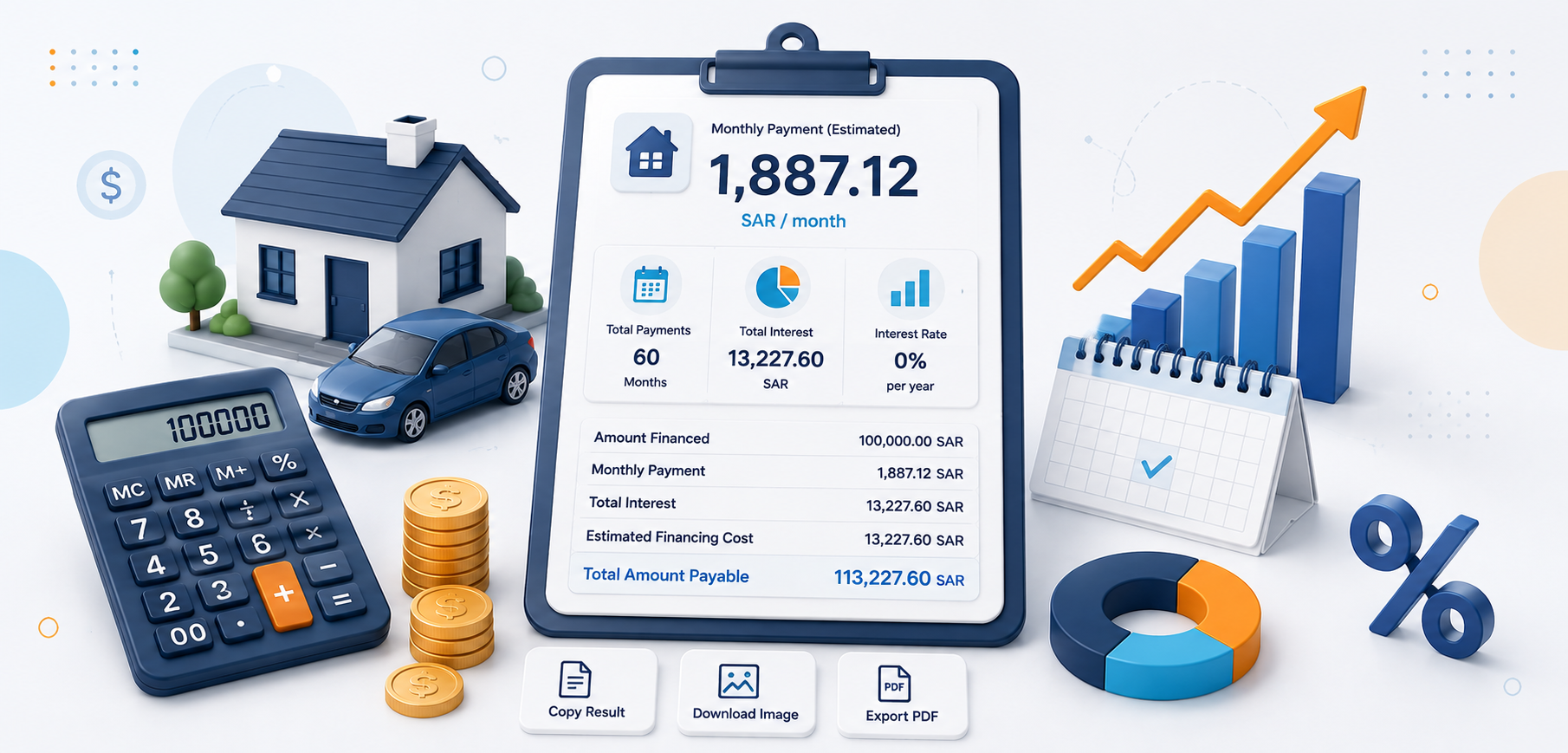
The Loan and Finance Calculator brings these elements together in one result: the amount financed after the down payment, an estimated monthly payment, financing cost, total amount repaid over the term, and a simplified schedule showing how payments and the remaining balance change over time.
The tool is designed for estimation and comparison, not to issue a financing offer or credit approval. The final figures from a lender may differ because of the actual pricing method, fees, insurance, payment timing, and contract terms.
What does the loan and finance calculator estimate?
A useful financing result should tell you more than “you will pay this much each month.” It should also show how much is being financed, what cost is added to it, and how much the full repayment may total over the life of the plan.
Financed amount
The amount that actually enters the calculation after the asset value and down payment are taken into account according to your inputs.
Monthly payment
An estimate of the periodic amount due over the financing term based on the rate and calculation method used by the tool.
Financing cost
The estimated cost above the original financed amount, including any fees the calculator allows you to include.
Total repayment
The overall amount the estimated plan indicates you may repay over the full term.
Number of payments
The expected number of installments based on the financing term you enter in months.
Repayment schedule
A simplified view of the first payments and how principal, financing cost, and the remaining balance change over time.
Understand the inputs before you calculate
Every financing estimate depends on the information you enter. It helps to distinguish the asset value, financed amount, annual rate, and fees instead of treating them as one figure.
| Input | What it means | How it affects the result |
|---|---|---|
| Asset value or requested amount | The base amount you want to finance or the price of the asset being evaluated. | With other factors unchanged, a higher financed amount usually increases the payment or total cost. |
| Down payment | An amount you pay from your own funds before financing begins. | It reduces the amount that needs to be financed when it is deducted from the asset value. |
| Financing term | The number of months over which payments are spread. | A longer term may lower the monthly payment but can increase the total financing cost depending on the pricing method. |
| Annual rate used | The rate the calculator uses for the estimate. | With other inputs unchanged, a higher rate will generally increase financing cost. |
| Additional fees | Administrative or other costs you want to include in the comparison. | They can increase the overall cost even if the principal amount does not change. |
Monthly payment, financing cost, and total repayment
Two offers can have similar monthly payments while differing substantially in term, fees, or total repayment. That is why these three figures are more useful when read together rather than choosing the lowest monthly payment in isolation.
Monthly payment
Helps you estimate how the financing would fit into your monthly budget and current obligations.
Rate and cost
Shows how much is added above the original amount because of the rate and any included fees.
Total plan cost
Gives you a broader view of what may be repaid over the full term instead of looking at each installment on its own.
How do the down payment and additional fees affect financing?
A down payment and additional fees can move the estimate in opposite directions. The down payment generally reduces the amount that needs financing, while fees increase the amount you ultimately bear even if the principal remains the same.
What does the annual rate used in the calculation mean?
The calculator uses the rate you enter to estimate payments and cost. Financing offers, however, may display more than one rate concept — such as a profit rate, annual rate, or annual percentage rate — and those terms are not always calculated in the same way.
Enter a rate that matches the calculation method the tool is designed to use; do not substitute one financial rate for another simply because the names sound similar.
When comparing offers, look at total repayment, fees, and repayment terms alongside the rate. The smallest headline rate is not always the lowest-cost offer in every situation.
If the lender provides an APR or another standardized comparison measure, use the figure exactly as stated in the official offer rather than trying to derive it from a different rate.
How should you read the monthly payment within your budget?
The calculator gives you a monthly estimate, but affordability also depends on income, fixed obligations, variable spending, and a buffer for unexpected costs. A payment that looks manageable on paper may still feel tight if your budget leaves no room for changes.
Compare it with current obligations
Do not look at the payment separately from rent, cards, other financing, and essential monthly spending.
Test more than one term
Changing the number of months helps you see the trade-off between a lower monthly payment and a longer repayment period.
Test more than one down payment
This shows whether paying more upfront would make the monthly plan more comfortable.
Do not ignore fees
Some costs may not appear in the monthly payment in the way you expect, so review the overall plan as well.
Leave room for change
A plan is usually more resilient when the payment does not consume the maximum amount your current budget can technically handle.
Compare scenarios, not just one offer
Try different amounts, terms, and rates to see which input has the greatest effect before comparing lenders.
Understanding the repayment schedule and remaining balance
A repayment schedule turns the plan from one total number into a monthly sequence. It shows each payment, the portion applied to principal, the amount representing financing cost under the model used, and the remaining balance after each payment.
| Column | What it shows |
|---|---|
| Payment number | The installment's position within the financing term. |
| Due date | The expected payment date based on the tool's assumptions and plan start date. |
| Principal | The portion of the payment that reduces the outstanding financed amount in the displayed model. |
| Financing cost | The portion related to profit, interest, or return according to the calculation model used. |
| Remaining balance | The estimated principal still outstanding after the payment is applied. |
How do you use the loan and finance calculator?
Start with the figures shown in the offer or scenario you want to test. If you want to understand the impact of term, down payment, or rate, change one input at a time so the effect is easier to see.
Enter the asset value or finance amount
Enter the amount on which you want to base the calculation and avoid confusing the asset price with the amount actually being financed.
Add the down payment and fees
Include known values so the comparison is closer to the real scenario.
Set the term and rate
Enter the number of months and annual rate used in the calculation, then review the payment and cost.
Review the full plan
Read the payment, total repayment, and schedule, then copy or share the result if needed.
How can you compare two financing offers more intelligently?
The fairest comparison uses similar inputs wherever possible. Comparing a 36-month offer with a 60-month offer only by monthly payment can be misleading because the two plans are structurally different.
Compare offers using similar financed amounts, down payments, and terms so the differences are easier to interpret.
Look at total repayment alongside the monthly payment, because a lower payment may simply come from a longer term.
Include known fees instead of assuming that two offers with different charges are directly comparable.
Review early-settlement terms, late-payment terms, insurance, and other contractual obligations in the offer documents. A calculator cannot reduce all of these details to one number.
Copy or share the financing result
Once you have entered the details, you can keep the summary instead of rebuilding the calculation from scratch — useful when comparing scenarios or discussing the figures with someone else.
Copy the result
Move the financed amount, monthly payment, cost, and total into a note or comparison document.
Share the scenario
Send the result you calculated without manually retyping the numbers.
Review the inputs first
Confirm that the amount, term, rate, and fees match the scenario you actually intend to compare.
What can make the actual result different from the calculator?
The calculator works from the figures you enter and the mathematical model used on the page. Real financing is governed by the product, contract, lender policy, customer assessment, actual fees, and payment dates.
Profit, interest, or financing-cost calculations may be structured differently from one product to another.
Fees, insurance, and other contract-related costs can affect the total if they are not included in the calculator inputs.
Actual due dates, monetary rounding, and the way amounts are allocated can create small differences from an estimated schedule.
Use the lender's official offer, repayment schedule, and contract as the final references before committing. Do not rely on the calculator alone for a financial decision.
Frequently asked questions about the loan and finance calculator
How does the calculator estimate the monthly payment?
Does a down payment reduce the monthly payment?
Does a longer financing term make the financing cheaper?
What is the difference between the financed amount and total repayment?
Is the annual rate in the calculator the same as the APR in every offer?
Why is the repayment schedule useful?
Do additional fees affect financing cost?
Is the calculator result a financing offer or approval?
What should I compare when reviewing financing offers?
You may also find these useful
Continue with a related calculator, or return to the full calculator collection to explore more everyday tools.
