
Know Where Each Visit Came From Instead of Only Counting Visits
When you publish the same link on Instagram, in an email campaign, and in a paid advertisement, the number of visits alone is not enough to understand what worked. This is where UTM parameters help. They are values added to the end of a URL to describe the traffic source, marketing medium, and campaign associated with the visit.
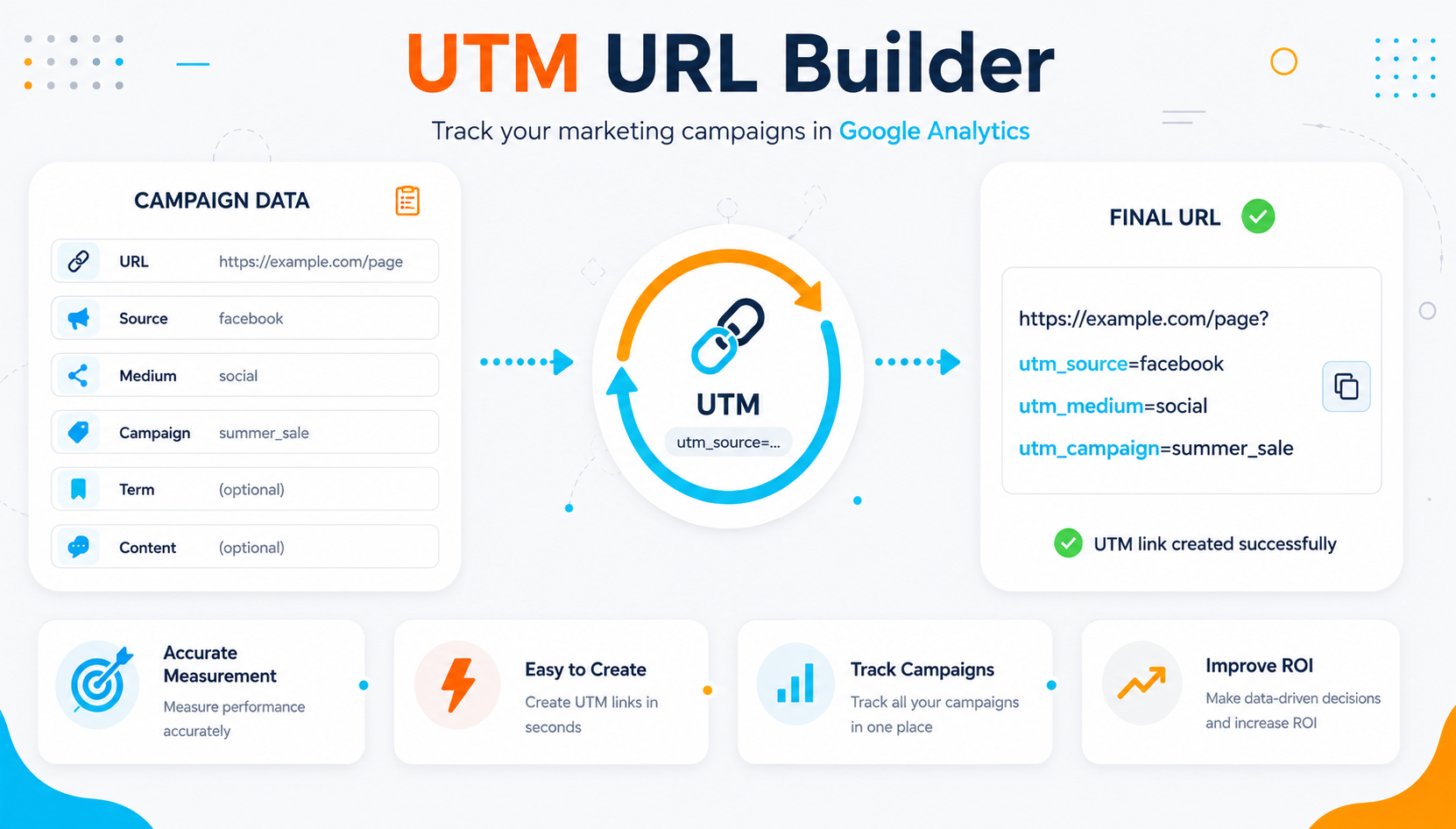
The UTM Link Generator helps you build these parameters consistently instead of writing them manually every time. Enter the destination URL, define the source, medium, and campaign name, and receive a final link that you can use in a post, email, advertisement, or other campaign.
UTM parameters do not create analytics by themselves. They simply add campaign information to the URL. When your website uses a measurement platform such as Google Analytics, these values can be used in traffic-source and campaign reports to understand performance more accurately.
When Should You Use a UTM Link?
Use UTM parameters when multiple channels, posts, or campaigns send visitors to the same page and you want to identify which one contributed to the visit. The more channels you use, the more important a consistent naming system becomes.
Social Media Campaigns
Separate visits coming from Instagram, Facebook, or TikTok instead of grouping all social traffic under one general label.
Email Marketing
Use a dedicated link for a newsletter or email campaign so you can identify the visits generated by that campaign separately.
Paid Advertising
UTM parameters can be used on channels that rely on manual tagging while taking into account platform settings and any automatic tracking you already use.
Partners and Influencers
Create a clear naming convention for each partner or channel so you can compare visits generated by the links they publish.
Links in Documents or QR Codes
A tagged URL can be used inside a digital document or QR code when you want to distinguish visits coming from that source.
Testing Multiple Content Variations
Use utm_content to distinguish creative variations or different link placements within the same campaign when you need more detailed analysis.
Three Fields That Form the Foundation of Your Campaign Naming
Successful UTM tracking depends more on clarity and consistency than complexity. Choose a naming system that you and your team can understand weeks or months later, and use the same values consistently across campaigns.
utm_source — Source
Identifies the platform or location that generated the visit, such as instagram, newsletter, or partner_name. Use a specific value instead of vague names that may be difficult to interpret later.
utm_medium — Medium
Describes the type of marketing channel, such as email, cpc, or paid_social. Using a consistent set of medium values helps prevent the same channel from being divided across multiple labels.
utm_campaign — Campaign
Identifies the marketing initiative itself, such as ramadan_offer or product_launch. Use a short and clear name that can be repeated across all channels associated with the same campaign.
What Do the Different UTM Parameters Do?
Source, Medium, and Campaign are the foundation of most tagged links. Additional fields can be added when you need more detail, provided that your naming system does not become unnecessarily complex or difficult to maintain.
| Parameter | Purpose | Example | When Should You Use It? |
|---|---|---|---|
| utm_source | Identifies the source or platform. | With almost every tagged campaign URL. | |
| utm_medium | Identifies the marketing channel type. | paid_social | To distinguish email, advertising, referrals, and other channel types. |
| utm_campaign | Identifies the campaign name. | summer_launch | To group activities from multiple channels under one campaign. |
| utm_content | Distinguishes an advertisement variation or link placement. | video_a | When testing multiple ads, creatives, or links within the same campaign. |
| utm_term | Records a term or keyword associated with the campaign. | running_shoes | When you need to distinguish terms or keywords in manual campaign tracking. |
How to Create a Well-Organized UTM Link
Before filling in the fields, decide how you will name your sources, mediums, and campaigns. This simple step prevents the same channel from appearing under several different names in your reports.
Enter the Destination URL
Use the URL of the page you want visitors to reach and make sure the page works correctly before adding any tracking parameters.
Define the Source and Medium
Enter clear utm_source and utm_medium values that follow the same naming system used in your other campaigns.
Add the Campaign Name
Use utm_campaign to connect multiple channels to the same marketing campaign, then add optional parameters only when they provide useful additional detail.
Test the Final Link
Open the generated URL, confirm that it reaches the correct page, and verify that the campaign values appear in your analytics platform once data becomes available.
The Most Important UTM Rule: Keep Your Naming Consistent
The most common problem is not the URL structure itself, but using different values for the same source or campaign. Analytics platforms process values exactly as they receive them, so small naming differences can fragment your reports.
Choose one naming format for your sources and avoid using instagram in one campaign and Instagram in another when both refer to the same source.
Use a defined set of medium values such as email, paid_social, and cpc instead of creating a new label for every campaign.
Make campaign names understandable without relying on external notes, and use the same campaign value across every link that belongs to the same initiative.
What Can You Learn from UTM Parameters in Google Analytics?
When manual campaign tagging is implemented correctly, UTM values can appear within traffic-source and campaign dimensions and can be connected with user behavior, events, and conversions measured on your website.
Source
Helps identify the platform or source that sent the visit, such as instagram or newsletter.
Medium
Shows the type of channel that generated the visit, such as email, cpc, or paid_social.
Campaign
Groups visits belonging to one marketing initiative even when its links are distributed across multiple channels.
Content
Helps when comparing different creatives or link placements within the same campaign, such as video versus image or a top button versus a lower-page link.
Conversions and Events
UTM values become more useful when you compare the traffic source with what users actually do after arriving, based on the events and conversions configured in your measurement system.
Budget Decisions
When campaign data is combined with conversions and cost information, you can compare channels based on performance instead of relying only on click volume.
Mistakes That Make Campaign Reports More Difficult to Read
A UTM generator solves the problem of constructing parameters correctly, but it cannot fix an inconsistent naming strategy by itself. These are some of the mistakes that have the greatest impact on data quality.
Using several names for the same source, such as instagram, ig, and Instagram, without a consistent team-wide naming rule.
Changing the utm_campaign value between channels even though all links belong to the same marketing initiative.
Adding UTM parameters to internal links within your own website, which may interfere with attribution and make the original traffic source more difficult to analyze.