
Create a Clear robots.txt File Instead of Leaving Crawling Decisions to Chance
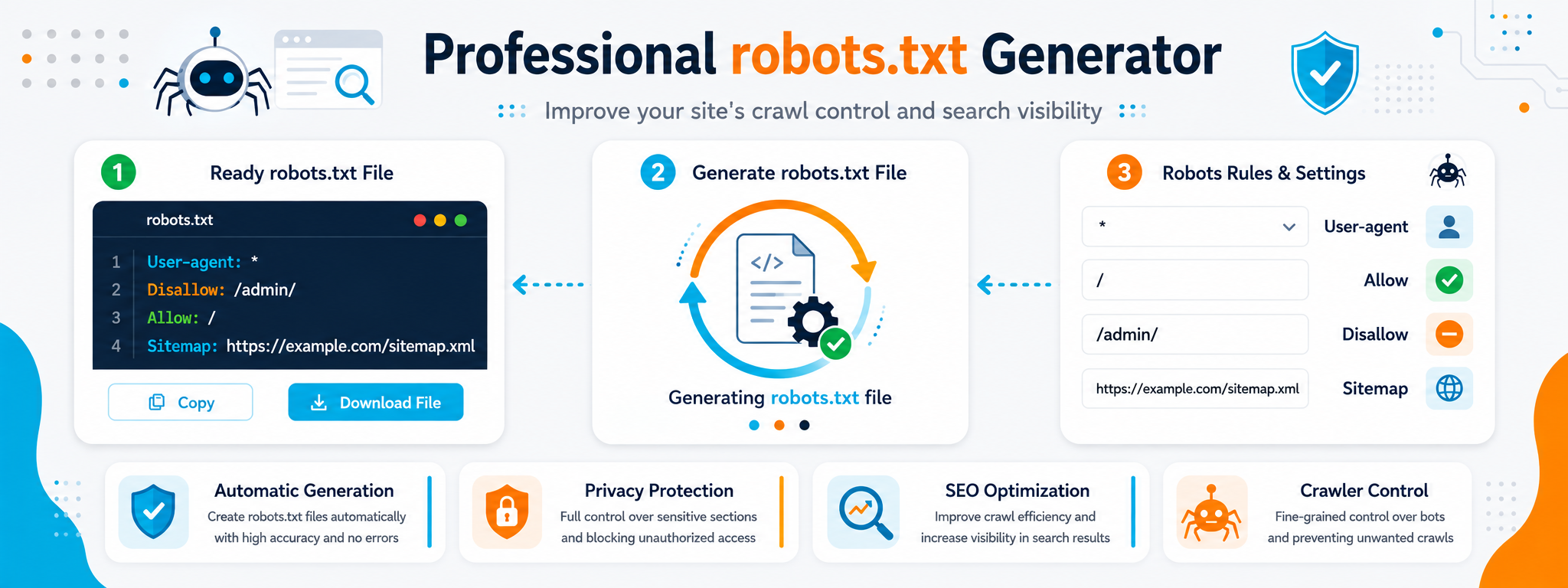
A robots.txt file is one of the smallest files on a website, but it serves an important purpose: it tells crawlers which paths they may request and which paths you prefer them not to crawl. This makes it useful when you want to organize how search engine bots access specific parts of your website instead of writing the rules manually every time.
The robots.txt generator helps you build the basic instructions in a structured way, whether you want to allow crawling, block a specific path, or add your sitemap URL. The value is not in creating a long list of directives, but in producing a clear file without obvious conflicts before placing it in the root of your website.
It is important to distinguish between crawling and indexing. Blocking a path through robots.txt asks a search engine not to crawl it, but it does not guarantee that the URL will disappear from search results if the search engine discovers it through links or other sources. Do not use robots.txt alone to hide sensitive or private pages.
When Should You Create or Update a robots.txt File?
Not every website needs a complex robots.txt file. In many cases, a simple file is enough. The need becomes clearer when your site contains paths that provide little value to crawlers, or when you want different crawler rules for specific parts of the site.
Administrative Paths
Some operational directories or pages add no value to search results and may not need repeated crawler requests.
Internal Search Pages
Some websites generate large numbers of search or filter URLs, and you may need to control their crawling according to your site structure and SEO strategy.
Temporary Files or Paths
During development, temporary paths may exist that you do not want search crawlers to spend time requesting. Use additional appropriate methods if the goal is to prevent indexing.
Adding a Sitemap
You can include your Sitemap URL in robots.txt to help crawlers locate the website's sitemap.
Rules for a Specific Bot
You can create a separate set of directives for a specific user-agent when it needs different behavior from your general crawling rules.
Reviewing an Old File
After changing your website structure or URLs, robots.txt may still contain outdated rules that should be reviewed or removed.
The Main Directives You Will Use in robots.txt
The file uses short directives, but their meaning depends on the group, user-agent, and path. Understanding them before generating your file reduces the risk of creating a rule that is broader than intended.
Allow
Allow is used to permit crawling of a path within the rule set applied to a particular crawler. It is especially useful when a broader Disallow rule exists and you want to create a specific exception.
Disallow
Disallow asks crawlers not to request a specified path. Use it carefully because an overly broad rule may unintentionally block important pages or resources.
Sitemap
Sitemap points to the location of your sitemap. It does not replace submitting the sitemap through search engine webmaster tools, but it makes the sitemap location explicit inside robots.txt.
Crawling Restrictions vs Noindex vs Access Protection
This distinction is one of the most common sources of confusion around robots.txt. Each method solves a different problem, and using the wrong one may produce the opposite result from what you intended.
| Method | What Does It Do? | Does It Always Prevent Indexing? | When Should You Use It? |
|---|---|---|---|
| robots.txt | Controls crawler requests to website paths. | No | When you want to manage crawling of certain parts of your website. |
| noindex | Instructs a search engine not to keep the page in its index when the crawler can access and read the directive. | It is designed for this purpose. | For pages you do not want in search results while still allowing crawlers to access them. |
| Authentication or Access Controls | Prevents access to the content itself. | It protects the content from public access. | For private or sensitive information that should not be publicly accessible. |
How to Create an Organized robots.txt File
Before creating the file, define exactly what you want to achieve. Every rule should have a clear reason because unnecessary restrictions can prevent search engines from reaching important content.
Choose the User-Agent
Decide whether the rule should apply to all crawlers or to a specific user-agent.
Define the Paths
Add the paths you want to allow or disallow and avoid unnecessarily broad rules.
Add the Sitemap
Enter the correct sitemap URL if you want it included in robots.txt.
Review the File
Check the rules before publishing and make sure they do not block pages or resources search engines need to understand your website.
Review These Points Before Uploading robots.txt
A single path mistake can have a wider effect than expected, so it is better to review robots.txt as part of your technical SEO setup instead of treating it as a file you create once and forget.
Make sure every path reflects the current website structure, especially after moving pages or changing permalink settings.
Review broad Disallow rules such as blocking an entire directory, and make sure they do not include pages or resources you want search engines to crawl and understand.
Verify the Sitemap URL and make sure it points to the sitemap you actually use rather than an outdated path or missing file.
How Should You Think About Rules Before Writing Them?
Start with the goal, then write the smallest number of rules needed to achieve it. A clear file is easier to review than a long list of overlapping exceptions.
Allow Crawling by Default
If you have no reason to block paths, do not add restrictions simply because the file supports them. Simpler rules reduce the chance of mistakes.
Block a Specific Path
When there is one path you do not want crawled, target it directly instead of using a broader pattern that also affects unrelated sections.
Create an Exception Inside a Blocked Path
Allow can be used within an appropriate group of rules when you need to permit access to a specific part of a broader blocked area.
Add a Sitemap
Use the complete and accurate sitemap URL so crawlers can locate it easily.
Staging Websites
Do not rely on robots.txt alone to protect a staging environment. Ideally, the environment itself should not be publicly accessible or should require authentication.
Review After Launch
When moving from development to production, review robots.txt to ensure no rules remain that were intended only for the staging environment.
robots.txt Mistakes That Can Affect Crawling
Most problems do not come from a complicated file. They often come from a short rule written with the wrong path or based on an incorrect understanding of what the directive actually does.
Blocking the entire website or an important section with a general rule that is broader than intended.
Using robots.txt to prevent indexing and then expecting the URL to disappear from search results even though other links still point to it.
Forgetting to update the file after changing URL structure or moving the website from a staging environment to production.