
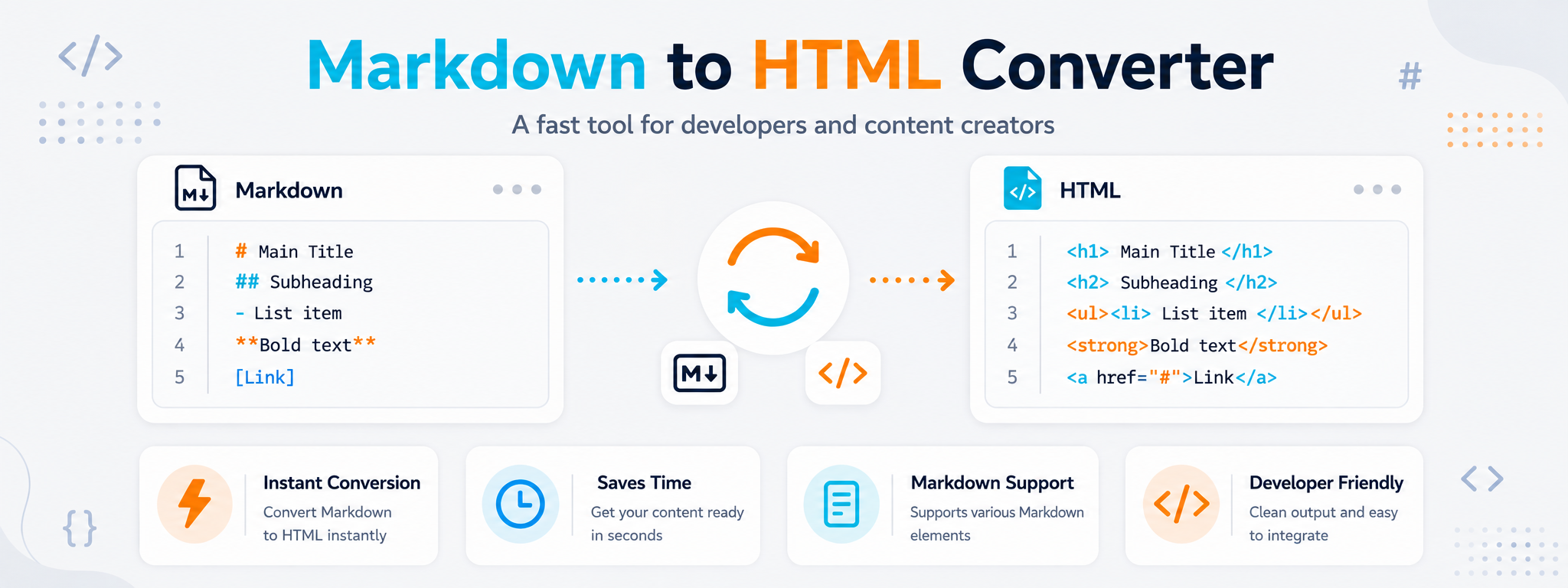
Write Content Simply, Then Convert It to Ready-to-Use HTML
Markdown is useful when you want to focus on writing instead of dealing with tags. You can create a heading with a simple symbol, build a list across a few lines, and add a link using a short, readable syntax. The conversion process then turns those elements into their corresponding HTML structure.
This workflow is useful for developers writing README files and documentation, and for content creators preparing articles or guides before moving them into a website. Instead of rebuilding every heading, paragraph, and link manually in HTML, you can start with organized Markdown and generate code that is easier to review and use in the next step.
The tool does not change the meaning of the content you wrote. It only changes how that content is represented. Reviewing the output is still important, especially when the text contains links, tables, code blocks, or a longer structure that will be inserted into an existing page.
When Is Converting Markdown to HTML Actually Useful?
Conversion is useful when writing is faster in Markdown, but the platform, template, or publishing environment where the content will be used expects HTML. This is common in documentation, blogs, and software projects.
README Files
Reuse documentation written in Markdown inside a web page without rebuilding its structure one element at a time.
Articles and Guides
If you write drafts in Markdown, conversion gives you a clean starting point before moving the content into an HTML editor or template.
Project Documentation
Create a web version of installation instructions, usage guides, or technical notes originally written in Markdown.
Static Pages
Convert organized text into HTML elements and then integrate the result into a page or template after reviewing the generated structure.
Content with Code
When a guide contains programming examples or code blocks, Markdown keeps the writing process simple before those elements are converted to HTML.
Moving Content Between Systems
Useful when content arrives in Markdown from a tool or repository and you need to move it into an environment that uses HTML.
What Happens During Conversion?
The process looks simple, but it combines three different tasks: reading Markdown syntax, generating the corresponding HTML tags, and reviewing the result before using it.
Reading Markdown
The tool recognizes the structure you wrote, including headings, lists, links, emphasized text, and code blocks, then identifies the corresponding HTML element for each part.
Generating HTML
The structure is converted into appropriate HTML tags that you can copy, review, and use in a project or editor that supports code.
Live Preview
When live preview is available, it helps you see the effect of changes immediately instead of waiting until publication to discover a formatting problem.
How Do Markdown Elements Convert to HTML?
You do not need to memorize every HTML tag to understand the result. It is enough to understand the relationship between the structure you write in Markdown and the element that appears in HTML.
| Element | In Markdown | In HTML | Use |
|---|---|---|---|
| Heading | # Heading | <h1>...</h1> | Create headings at different levels. |
| Bold | **Text** | <strong>...</strong> | Emphasize an important word or phrase. |
| Link | [Text](URL) | <a href="...">...</a> | Add a link inside the content. |
| List | - Item | <ul> and <li> | Organize a group of points. |
How to Convert Markdown to HTML
The best result starts with clear Markdown. Write or paste your content, run the conversion, and review the generated HTML before adding it to your website or project.
Enter Markdown
Paste or write the content using standard Markdown syntax for headings, links, lists, and code.
Review the Structure
Make sure heading levels, lists, and links are written the way you intend before converting.
Convert to HTML
Run the conversion to generate the corresponding HTML tags without building every element manually.
Check the Output
Review the code and preview, then copy the HTML to its destination after confirming that the structure is correct.
What Should You Review After Converting Markdown to HTML?
A successful conversion does not always mean the code is ready to paste anywhere without review. The page, template, or editor receiving the HTML may have its own styles or restrictions, so check the important elements before final use.
Review the heading hierarchy and make sure H2, H3, and other levels reflect the actual content structure rather than only a visual preference.
Open important links and confirm that both the link text and final destination remained correct during copying or conversion.
Check lists, tables, and code blocks in the preview, especially when using extended Markdown syntax.
Why Do Many People Prefer Writing in Markdown Before HTML?
Markdown does not try to replace HTML in every situation. Its main advantage is making the writing stage lighter and easier, while HTML remains available when you need an explicit web structure that can be integrated into a page.
Easier to Read
The draft remains readable even before conversion because Markdown uses only a small number of simple formatting symbols.
Faster to Write
Adding a heading, link, or list does not require opening and closing several tags, reducing friction while writing.
Great for Documentation
This is one reason Markdown is widely used in README files, technical guides, and software repositories.
Easy to Review
When reviewing content with a team, the actual text remains easy to read without being overwhelmed by HTML markup.
Easy to Convert
The content can be converted into HTML when you reach the publishing stage or need to integrate it into a web interface.
Useful for Developers and Content Creators
It serves people focused on writing as well as developers who ultimately need clean HTML that can be reviewed and reused.
Why Does the Output Not Look the Way You Expected?
The problem is often caused by the Markdown syntax itself or by assuming that every advanced extension behaves the same way across all converters.
Review spaces and blank lines around lists and code blocks because the resulting structure can depend on how the source text is written.
Make sure link syntax, emphasis markers, and code markers are closed correctly if part of the Markdown appears as plain text.
When using tables or additional formatting features, check what the converter supports because some features differ between extended Markdown variants.
