
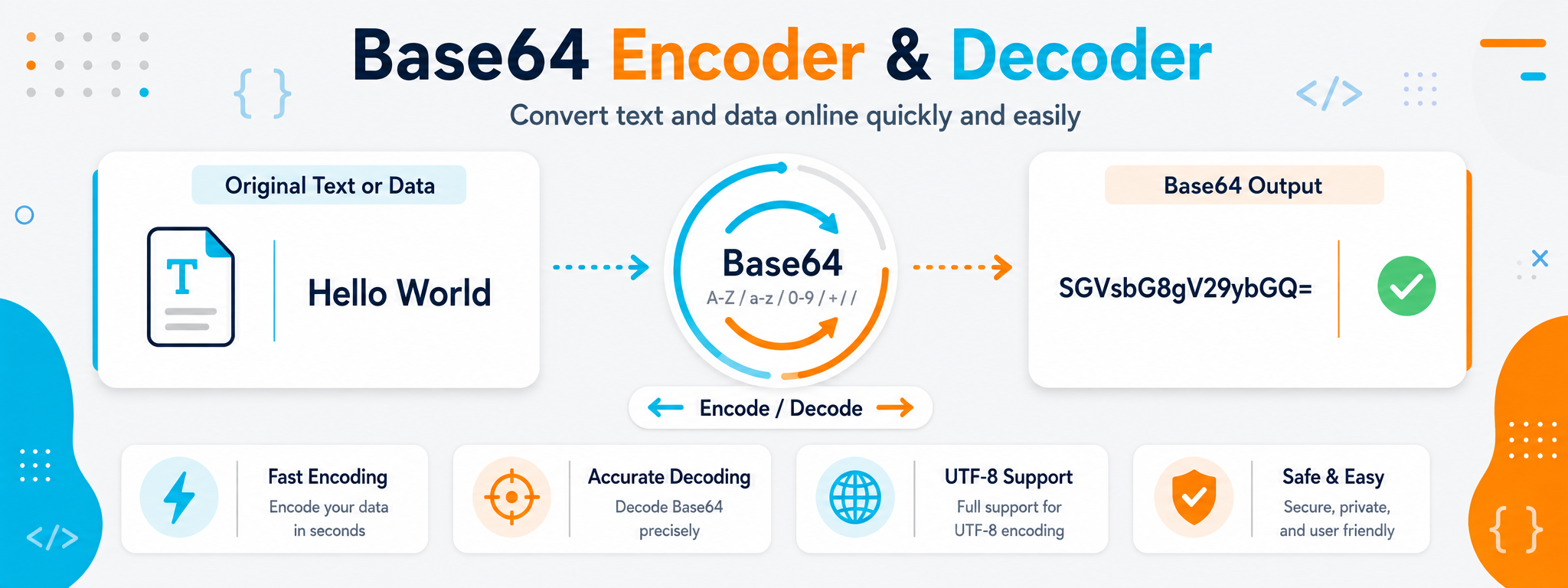
When You Need to Transfer Data in a Text-Friendly Format
Base64 appears frequently when working with APIs, JSON files, HTML, and other types of data that need to pass through systems designed to handle text more easily than binary data. Instead of sending raw bytes directly, the data is represented as a string of characters that can be transferred or stored inside text fields.
The Base64 tool simplifies this process in both directions. You can encode supported text or data into Base64, or decode a Base64 string to recover the original content. This is useful during testing, reviewing responses, and preparing data before using it in a software project.
The most important point is that Base64 is encoding, not encryption. Its purpose is to change how data is represented, not to hide or protect it from being read. It should never be used as a replacement for proper security or encryption when confidentiality is required.
When Do You Need to Encode Data with Base64?
You do not need Base64 every time you work with text or files. It becomes useful when the system transporting the data is mainly designed for text, or when data needs to be embedded inside a structured text format.
Sending Data Inside JSON
Base64 can represent data that would otherwise be difficult to place directly inside a text field, although the encoded result will be larger than the original data.
Working with APIs
Some APIs use Base64 for specific fields or values, so encoding and decoding can be useful while testing and reviewing requests and responses.
Embedding Data in HTML or CSS
Base64 may appear inside Data URLs to represent certain resources directly within a document instead of referencing a separate file.
Moving Text Between Systems
Encoding can represent content using a predictable set of characters when an intermediate system is sensitive to particular symbols or characters.
Inspecting an Encoded Value
During debugging, you may receive a Base64 value and need to decode it to understand the actual content behind it.
Working with Multilingual Text
When UTF-8 is handled correctly, Base64 can encode and decode Arabic, English, and other Unicode text while preserving the original characters.
Three Things That Explain How the Tool Works
Encoding and decoding are opposite operations, while character encoding such as UTF-8 determines how human-readable text is converted into bytes before Base64 is applied.
Base64 Encoding
Encoding converts content into a text string made from a defined set of characters. The result is suitable for transport in text-based environments, but it is not encrypted or secret.
Base64 Decoding
Decoding reverses the process and restores the encoded content. If the value is incomplete or invalid, it may not decode as expected.
UTF-8 Support
UTF-8 is important for Arabic and other non-Latin languages. Text is first converted into bytes, and those bytes are then represented using Base64.
Base64 Is Not Encryption or URL Encoding
These terms can seem similar because they all change how data looks, but each serves a different purpose. Understanding the difference prevents Base64 from being used where another method is more appropriate.
| Method | Main Purpose | Provides Confidentiality? | Example Use |
|---|---|---|---|
| Base64 | Represent data using text characters that are easier to transfer. | No | Embedding data inside JSON or another text value. |
| URL Encoding | Represent special characters safely inside URLs. | No | Query parameters and URL values. |
| Encryption | Protect content so that it cannot be read without the appropriate key or mechanism. | Yes, depending on the algorithm and implementation. | Protecting sensitive data during storage or transmission. |
How to Encode or Decode Base64
Start by choosing the direction of the operation. If you have plain text and want to convert it to Base64, choose encoding. If you already have a Base64 value and want to recover its contents, choose decoding.
Enter the Content
Paste the text or supported data and make sure you are using the correct source before starting.
Choose the Operation
Select Encoding to convert content to Base64 or Decoding to recover content from an encoded value.
Run the Conversion
Start the operation and review the result, especially when working with multilingual text or data containing multiple lines.
Verify Before Using It
Test the result in the environment where you need it, and never rely on Base64 as a way to protect sensitive content.
What Should You Check When a Base64 Value Does Not Work?
A decoding failure does not always mean the data is completely corrupted. The problem may be an incomplete value, additional characters, or a difference in how the original text was handled.
Make sure the entire Base64 value was copied without removing characters from the beginning or end or adding unintended content.
Review the character encoding when working with Arabic or special characters because UTF-8 affects the bytes being encoded.
If the value is part of a URL or JSON document, verify that it was not changed during transport, copying, or processing by an intermediate system.
Why Does Multilingual Text Need Correct Encoding Before Base64?
Base64 does not work with the meaning of characters directly. It works with bytes. The method used to convert text into bytes must therefore be known and consistent during both encoding and decoding.
Use UTF-8
UTF-8 is the standard choice for Arabic, English, and many other languages, and it prevents many problems involving broken or unreadable characters.
Do Not Compare Base64 Directly with Text
Changing a single character in the original text changes the resulting value because Base64 represents bytes rather than visible words.
Test Both Directions
A useful test is to encode the text, decode the resulting value, and confirm that the original text is restored exactly.
Watch Spaces and Line Breaks
Spaces and new lines are part of the data and can change the Base64 value even when two pieces of text look visually similar.
Do Not Remove Characters Automatically
Some Base64 values include padding characters or a specific structure at the end, so avoid editing the result manually without knowing why.
Test Inside Your Application
A value that works in a standalone tool should still be tested in the programming language or system that will actually use it.
Practical Base64 Uses During Development
A Base64 value usually appears as part of a larger workflow. Understanding where it came from helps you decide whether you need to encode it, decode it, or leave it unchanged.
Testing API Requests
Encode or decode specific values while checking requests and responses exchanged between an application and a service.
Reviewing JSON
You may find a Base64 value inside a JSON field and need to decode it to understand the data stored in that field.
Data URLs
Small resources can be represented inside a Data URL in some HTML and CSS use cases, while keeping the effect on page size in mind.
Certain Authentication Values
Some protocols and technical examples use Base64 to represent text values, but encoding alone does not make credentials secure.
Inspecting Test Logs
Logs or development tools may contain encoded values that need to be decoded to understand what was sent or received.
Encoding Multilingual Text
Base64 can be used with Arabic, English, and other languages when UTF-8 handling remains consistent in both directions.