
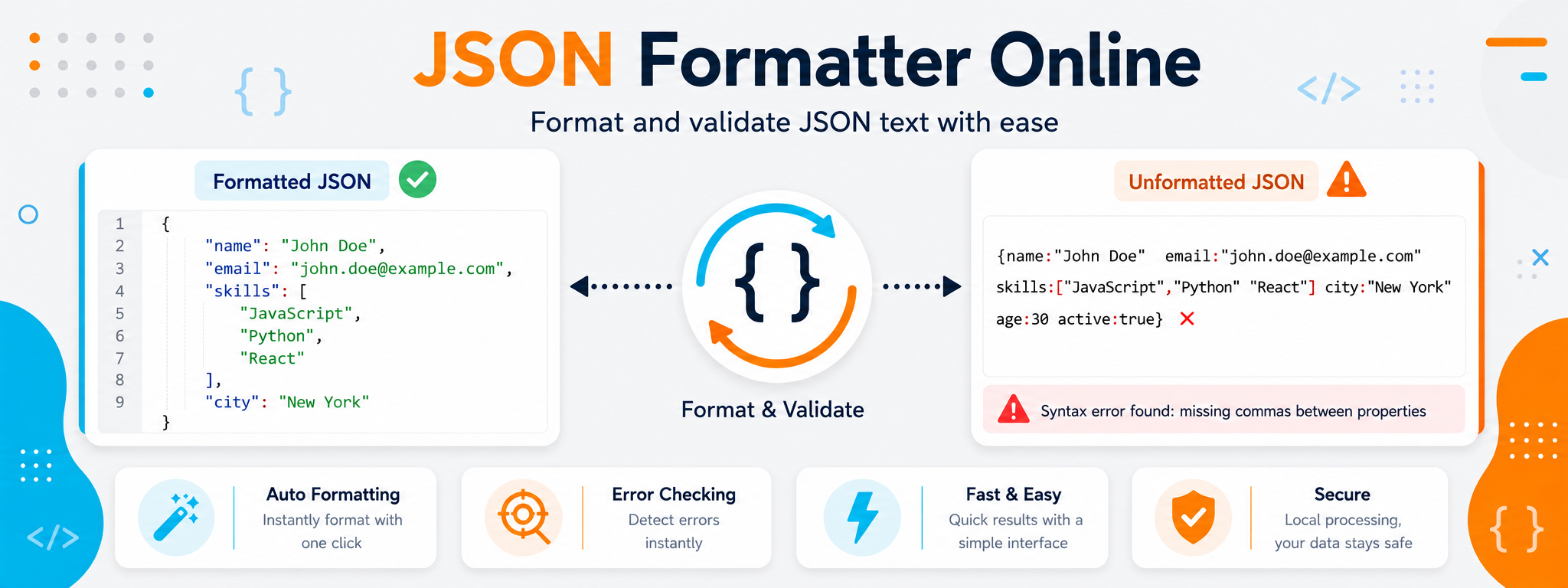
Clearer Data Makes Problems Easier to Find
JSON from an API or configuration file may arrive as one long line or contain deeply nested objects and arrays that are difficult to follow. Formatting reorganizes the data into clear levels so you can see keys, values, and their relationships without manually tracing brackets and commas.
The real value of the tool goes beyond improving how the code looks. Once the data is easier to read, you can review API responses faster, compare expected and actual values, and identify the section that caused JSON parsing to fail in your application.
Use the formatter as a review step before changing your application code. Start with the structure, confirm that the syntax is valid, and only then investigate application logic if the data is correct. This helps separate JSON errors from errors in how the data is being used.
When Do You Need to Format JSON?
A JSON formatter is useful when the data is valid or nearly valid but its current layout makes it unnecessarily difficult to read or review. This happens frequently during development and testing.
Long API Responses
When a service returns dozens of fields on a single line, formatting helps you quickly identify the main object and its nested levels.
Nested Configuration Files
Formatting makes configuration easier to follow when a file contains nested objects, arrays, and multiple related values.
Syntax Errors
If your application cannot parse the data, validating the JSON structure is a logical first step before investigating the rest of the project.
Comparing Two Results
A formatted structure makes it easier to compare responses or review fields that changed between tests.
Understanding Data Structures
Beginners can more easily distinguish objects, arrays, and values when JSON levels are clearly formatted.
Review Before Integration
Formatting is useful when reviewing sample data before connecting it to an interface, database, or another part of an application.
Three Different Tasks You Should Not Confuse
Formatting, validating, and debugging JSON are related tasks, but they are not the same. Understanding the difference can save time during review.
JSON Formatting
Formatting reorganizes lines and indentation so the data hierarchy is easier to understand. It improves readability, but it does not automatically repair existing syntax errors.
JSON Validation
Validation checks whether the text follows JSON rules and can be parsed correctly. A misplaced quote, comma, or bracket can make the structure invalid.
Debugging the Problem
Once you know the structure is invalid, review the location causing the error and correct the syntax. Good formatting makes that location much easier to find.
Formatting vs Validation vs Minification
You may need more than one operation on the same JSON depending on your workflow. The table below summarizes the purpose of each operation.
| Operation | What Does It Do? | When to Use It | Does It Change the Data? |
|---|---|---|---|
| Format | Organizes lines and indentation to make the structure readable. | When reviewing compact or deeply nested JSON. | It should not change keys or values. |
| Validate | Checks whether the syntax is valid and the text can be parsed as JSON. | When an application fails to read the data. | Validation itself does not need to change the data. |
| Minify | Removes unnecessary spaces and line breaks to create a compact version. | When you need a smaller representation for programmatic use or transfer. | Only the representation changes when the operation is performed correctly. |
How to Use the JSON Formatter
The process is simple, but the order matters: start with the original text, format it, review the structure, and only troubleshoot further if a syntax error appears.
Paste Your JSON
Enter the JSON you want to review, whether it comes from an API response, configuration file, or sample dataset.
Format the JSON
Let the tool organize the structure instead of manually adding spaces and line breaks.
Review the Result
Follow the keys, arrays, and nested levels and confirm that the data appears as expected.
Fix Issues if Needed
If a syntax error appears, review its location and validate the JSON again before using it in your project.
JSON Errors Worth Checking First
You usually do not need to rewrite the entire document. A small mistake involving a comma, quote, or bracket can be enough to stop the parser from reading the structure.
Look for a trailing comma after the last item in an object or array, or a missing comma between two items.
Make sure brackets and quotation marks are properly closed, especially in long documents or manually copied data.
Review the difference between boolean values such as true and false and the strings "true" and "false", because they have different meanings in code.
How Can You Read Large JSON Faster?
Do not start by reading every line in sequence. After formatting, understand the overall structure first and then move to the details that matter.
Start at the Top Level
Identify the main keys before moving into nested objects.
Distinguish Objects from Arrays
Knowing the structure type helps you understand what kind of data each level is expected to contain.
Find the Key You Need
When you know the field name you need, you do not have to read all the surrounding data.
Compare Expected and Actual Data
When debugging an API, check whether the returned structure matches what the application expects.
Check the Value Type
Numbers, strings, booleans, and arrays cannot always be handled in the same way in code.
Do Not Rely on Key Order
Focus on field names, structure, and values instead of building logic around a visual key order that may not remain consistent.
Watch for Secrets and Sensitive Data in JSON
Many JSON responses come from development or production environments and may contain information that should not be shared or included in public examples.
Remove API keys, secret tokens, and login credentials before using a sample outside your private environment.
Replace customer data, email addresses, and personal identifiers with test values before sharing an example.
Review the entire response before posting it in a support ticket or forum because sensitive data may be hidden in a nested level that is not obvious at first glance.